Retail tooling
Retail Poster Studio
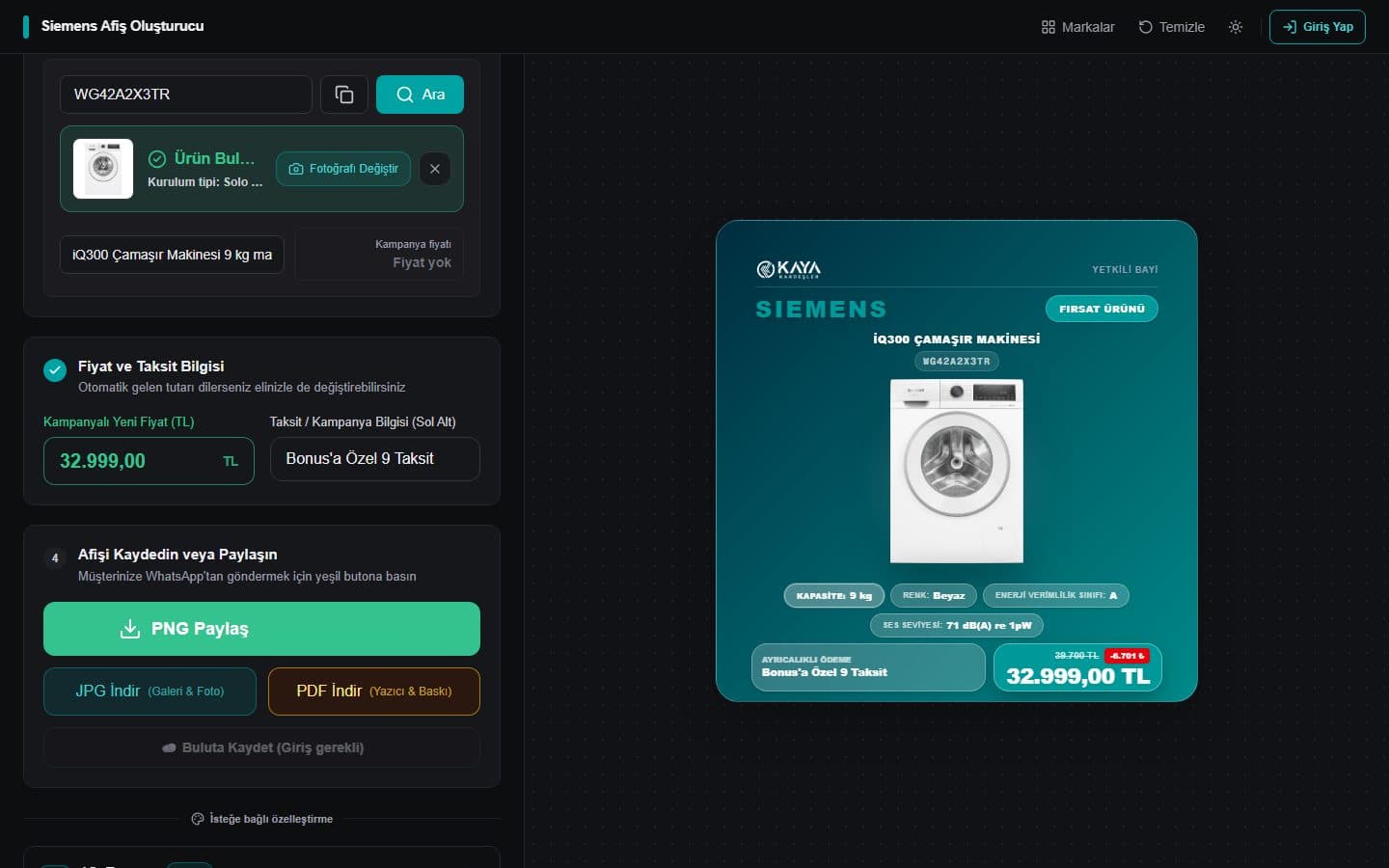
A web tool that lets store staff produce campaign posters for Siemens, Philips and LG products in minutes. Enter a product code and the title, image, specs and price fill themselves in; export as PNG, JPG or PDF.
- Status
- Live
- Tools
- Next.js · React · Zustand · cheerio · SheetJS · html-to-image · jsPDF · Upstash
The problem
Posters were made by hand: specs copied from the manufacturer’s site, prices from a separate Excel list, and each poster edited one by one in a design tool. Slow and prone to pricing mistakes.
My role
Sole developer: requirements, data collection, the poster design system and the admin panel.
Approach
- 01
Data from a product code
The server reads JSON-LD structured data from manufacturer product pages with cheerio: title, image and specs. A record whose model code doesn’t match the requested code is rejected. Requests are rate-limited (Upstash) and external images go through our own proxy, which checks every redirect hop.
- 02
Excel price lists
Price and campaign sheets are parsed in the browser with SheetJS, normalizing Turkish number formats (1.234,56), percentages and messy product codes.
- 03
In-browser image processing
The light background of LG product photos is removed pixel by pixel on a canvas so products sit naturally on the poster.
- 04
A calm editor for store staff
A step-by-step form on the left and a live poster on a dotted canvas on the right, scaled at its true size; the accent colour follows the selected brand. On phones the preview sits on top and the poster is scaled rather than squeezed, so files exported from a phone come out at design size.
- 05
Dependency-free QR and print output
QR codes come from a hand-written generator (Reed–Solomon error correction over GF(256)) as pure SVG. Posters export to PNG/JPG with html-to-image and to PDF with jsPDF.
The hard part
Unreliable sources
Manufacturer pages change structure, products aren’t always at their direct URL, and search sometimes returns a similar but different product. The fetcher tries the product page, then search; if the code doesn’t match it reports “not found” instead of inventing a title, and an unreachable site gets its own message. Prices come from Excel or are typed in; if one image can’t be fetched the poster still exports with that slot left empty.